Before beginning: know what must survive
Make a list of irreplaceable data and essential access: photos, documents, messages, authentication and work services. Confirm the backup method actually contains what matters and that you know how to regain access. Merely enabling a backup option is not the same as checking its latest successful result.
Keep the old phone charged and available. Have reliable network access and enough uninterrupted time. Avoid beginning a migration just before a trip or deadline when a delay would leave you without an essential service.
Use the appropriate official route
Apple’s Quick Start documentation describes supported transfers from an existing iPhone or iPad. Check its current requirements and the instructions shown by the new device. An Android move is a different route; do not expect a guide for an Apple-to-Apple transfer to cover every Android app.
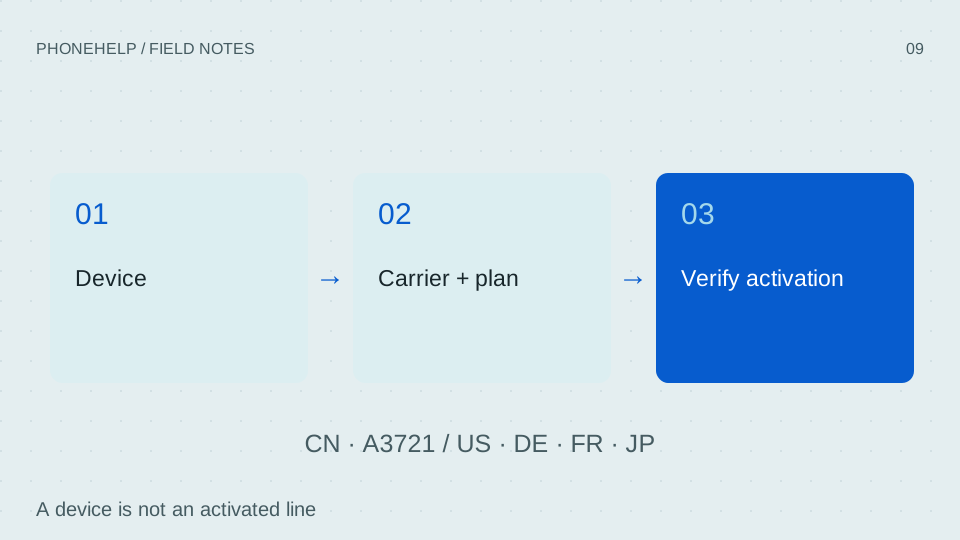
Carrier activation is a separate check. Ask whether your exact plan supports transfer or requires a new activation process. Do not delete the old eSIM merely because the new phone has finished copying photos.
Verify before retiring the old device
Open important files, confirm essential apps can sign in and test calls, messages and cellular data separately. Work apps, authentication and payment services may need their own steps. Keep a working recovery path until these checks are complete.
- Confirm important photos and documents are accessible.
- Verify account recovery and essential app sign-in.
- Confirm the actual phone line and data connection.
- Only then consider the official process for preparing the old device for transfer or sale.
What remains gated
PhoneHelp has not performed this migration on a retail Duo. We do not publish invented screenshots, exact durations or a guarantee that all local app data transfers. If the device shows an unexpected prompt, stop and identify what it affects before consenting.
A reset or erase can have consequences that a routine restart does not. Do not use destructive steps as a shortcut around an account or carrier problem; contact the relevant official support service with the exact message instead.
| Planned shipping software | iOS 27.1 | [A-US-NEWS-001] |
|---|---|---|
| SIM and carrier scope | eSIM only; carrier and plan support required | [A-US-BUY-001] |
| Authentication | Touch ID in the side button | [A-US-PROD-001] |
Sources & verification
- iPhone Duo - Apple Apple · en-US · Last checked September 10, 2026
A-US-PROD-001 - Apple unveils iPhone Duo - Apple Apple · en-US · Last checked September 10, 2026
A-US-NEWS-001 - Shop iPhone Duo — United States Apple · en-US · Last checked September 10, 2026
A-US-BUY-001 - Use Quick Start to transfer data Apple Support · en-US · Last checked September 10, 2026
A-SUPPORT-SETUP - Set up eSIM on iPhone Apple Support · en-US · Last checked September 10, 2026
A-SUPPORT-ESIM
Source-based coverage. PhoneHelp has not hands-on tested a retail iPhone Duo.